Choose the image-to-video AI starting frame deliberately
A reference image gives you a concrete composition to work from. Inspect it before writing motion instructions. Check the subject, edges, background and empty space. If an object is already cut off at the edge, decide whether that is intentional rather than expecting a video tool to make the right choice for you.
Only use an image you are entitled to provide to the service you choose. This guide does not grant rights to a photograph or to a person depicted in it.
Decide what stays and what moves
Write two short notes. The first describes the details that should remain stable, such as the boat’s color or the camera position. The second describes the intended movement. This makes it easier to spot when a result changes something important.
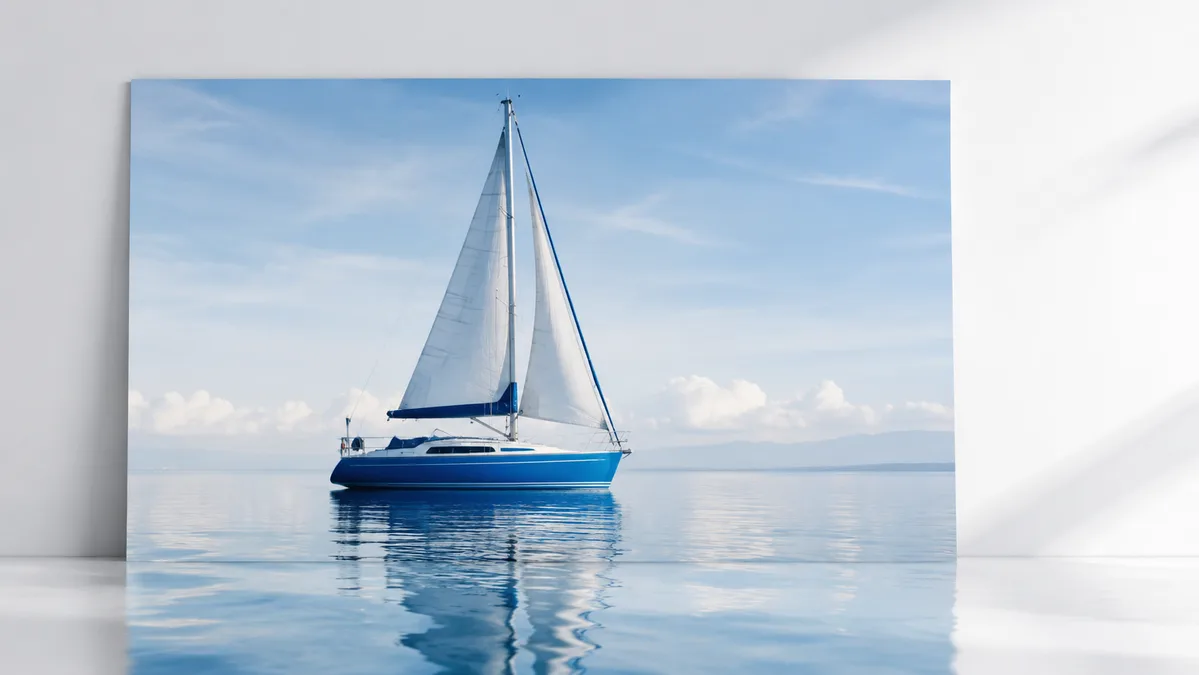
For the sailboat example, the movement might be a slight rocking motion on calm water. A second idea might use a slow camera approach. Treat those as separate tests before combining them.
Runway’s image-to-video guidance distinguishes the reference image from the motion described by the prompt. Exact behavior still depends on the selected model and inputs.
Prepare a useful motion brief
Try: “The sailboat rocks gently while small ripples cross the water. The camera remains still.” This gives you a specific action and a camera constraint. Avoid adding several new objects or scene changes unless that is the purpose of the experiment.
If the image has writing, a logo or a recognizable person, include those details in your review checklist. Do not assume they will remain accurate merely because they appear in the reference.
Review the whole clip
Look at the beginning, middle and end. Check whether the subject changes shape, whether the background drifts and whether the final frame still suits the intended edit. A pleasing first frame does not establish consistency across the clip.
Keep the starting image, prompt and result together in your own notes so you can compare versions. Record which model you used if you need to reproduce or discuss a result.
What you can do here
AIVideo currently accepts a written scene brief and a frame choice, not a reference-image upload. Use the workspace to draft the motion instruction, then take your authorized image and brief to a service that supports image-to-video generation. No video generation or export runs on this page.
Put your next step into practice
Open the AIVideo workspace to try the sample controls. For another part of the decision, read video aspect ratio: choose the frame for the shot.